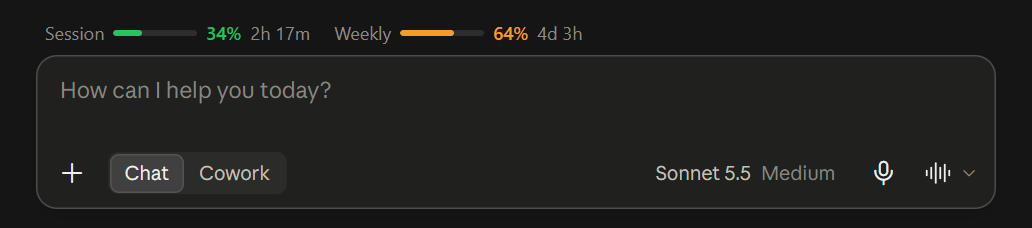
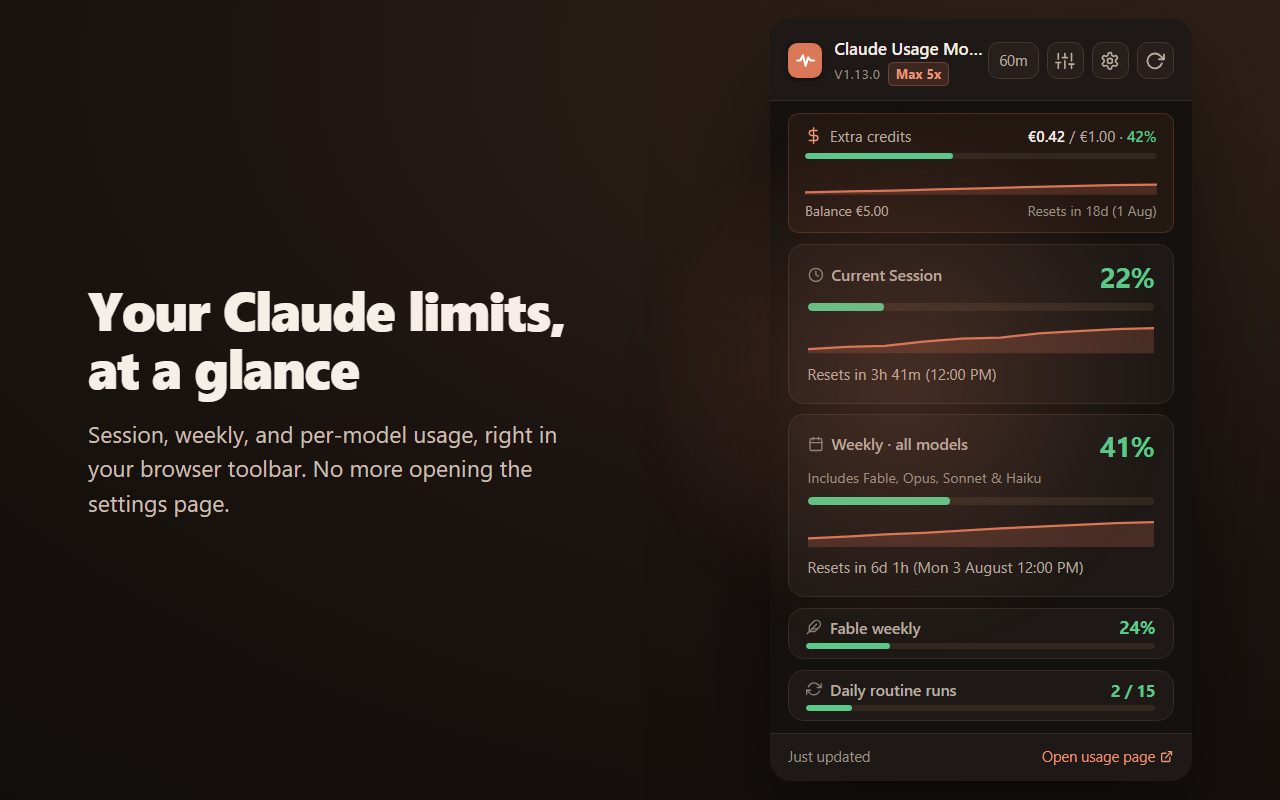
A color-coded badge in your toolbar shows your live session and weekly usage, and desktop alerts warn you at 80% and 95%. One click opens the rest: per-model caps like Fable's new weekly cap, routine runs, and your detected plan.
On Windows? Try the native app free for 7 days →View source on GitHub Free, MIT licensed
A desktop extension for Chrome and Firefox — open this page on your computer to install. Scroll down to try the live demo.
Go ahead, try it — toggle metrics, switch themes, change the layout, hit refresh. It's the real popup, not a screenshot.
On pay-as-you-go, the top banner tracks your monthly extra-usage spend and remaining prepaid balance, with a live percentage bar, real currency symbols (€/£/$) and a reset countdown.
Your rolling 5-hour window, with a live countdown to reset, so a cutoff never lands mid-conversation.
One pool shared by every model — Fable, Opus, Sonnet and Haiku all draw it down. Your first limit usually lands here.
A dedicated bar for each model Claude caps on its own weekly limit — like Fable's new weekly cap — so you can see which model is burning the quota. Models without a separate cap are counted in the all-models weekly. The first tracker to watch Fable's cap.
A desktop notification the moment your session, weekly or per-model usage crosses 80% and again at 95% — so you find out before a limit lands, not after. One alert per threshold per window, never a stream. Turn it on or off and set your own thresholds in the settings page.
Scheduled Claude Code routines, counted as used / limit on plans that include them. Resets every day.
Pro, Max 5x, Max 20x or Team, detected from your session automatically. Every limit you see matches your subscription.
Clay to Cool light, plus a display menu to show only the caps you actually track.
Switch the popup between Classic, Mixed, Grid and List from the View menu — hairline rows or ring gauges, whichever you read fastest. Your choice sticks. Try it in the demo on the left.
A native app that lives in your system tray and polls your usage on its own, so you always know where you stand, even with every browser closed. A resizable, always-on-top widget floats wherever you park it. And for Claude Code, it auto-resumes your sessions through every reset.
It's called UsagePeek AI, built by the same person as this extension. See the full site at usagepeek.com.
It captures your session once and polls natively. Close every tab — your caps keep updating by the clock.
A color-coded icon in your taskbar tray shows your status at a glance — no window to open.
Two styles — bars or rings, both showing session and weekly. Always on top, drag it anywhere and size to taste. Plus six themes.
Relaunches claude --resume per project the moment your session resets. Nothing else does this.
Get a heads-up before you hit a limit — a desktop notification at 80% and again at 95%, for your session, weekly and every per-model cap. Once per threshold, configurable, or off. At parity with the browser extension.
Try it now — free for 7 days.
Then $9.99 once — no subscription, ever. Buy it and it's yours, with free updates for life.
Start your free trialWindows 10 & 11 · Microsoft Store · 7-day free trial · not affiliated with Anthropic
Four facts, each verifiable in the source.
Open source. Full code on GitHub, MIT licensed. What ships in your browser is exactly what you can read.
Local only. Nothing leaves your browser. No tracking, no analytics, no servers. Read the privacy policy.
No signup. Works with your existing Claude session. Install it and it reads your usage immediately.
Auto-refresh. Pick any interval from 1 to 60 minutes; the badge stays current on its own.
Two reasons it can't hurt you: there is almost nothing it is allowed to do, and almost nothing to exploit.
Only storage and alarms: save data locally and run a refresh timer. No access to your cookies, your tabs, or any other website.
Its reach is scoped to exactly four claude.ai usage endpoints. The browser blocks every other address on the web.
No content scripts. The extension never runs inside a page, so your chats, projects and files are out of reach by design.
Every request is a GET. It can't send a message, change a setting, or spend a token of your quota.
Usage data lives in your browser's local storage. No servers of ours, no analytics, no telemetry, no third parties.
It rides the claude.ai login you already have, the same way the official settings page does. It never sees, reads, or stores your cookie or token.
Every line ships inside the package; nothing is downloaded or run dynamically, exactly as Manifest V3 requires.
Data from the API is shown as plain text, never as HTML, so a malformed response can't execute anything.
No website can message the extension or load its files. The outside attack surface is effectively nil.
100% open source, MIT licensed, and unminified. Read every line that runs in your browser, then decide.
Every claim here is checkable in the source on GitHub.
How Claude's limits work, and what this extension can (and can't) see.
Yes. On top of the rolling 5-hour session window, Claude's paid plans have a weekly pool shared by all models, plus separate weekly caps for whichever models Anthropic breaks out on their own (currently Fable). Each resets on its own schedule, and the extension shows a live countdown for every one.
Yes — since July 2026 claude.ai gives Fable its own weekly limit, separate from the shared all-models pool. The extension shows it as a dedicated Fable weekly card, alongside any other per-model cap your plan exposes.
Yes. Since v1.10 the extension sends a desktop notification when your session, weekly or per-model usage crosses 80%, and again at 95% — one alert per threshold per reset window, so it never spams you. Alerts are on by default; change the thresholds or turn them off in the settings page. They are fully local — no data leaves your browser.
You can open claude.ai/settings/usage, or skip that entirely: this extension keeps a color-coded percentage badge in your toolbar and puts the full breakdown (session, weekly, per-model caps, routine runs) one click away, refreshed automatically.
No. Its host permissions cover exactly five claude.ai API endpoints: the organization list, usage stats, your prepaid credit balance, your monthly usage-credit spend limit, and the routine-run budget. Chats, projects and files are out of reach by design, and the full source code is on GitHub under the MIT license.
Yes. It is free, needs no account, and the full source is on GitHub under the MIT license. It runs entirely in your browser on desktop Chrome or Firefox, with nothing to pay and nothing to sign up for.
Claude meters usage in a rolling 5-hour session window. The extension shows how much of the current window you have used and counts down to the exact reset, so a cutoff never lands mid-conversation.
The weekly all-models pool and each per-model cap reset on their own rolling weekly schedule, not on a fixed calendar day. The extension shows a live countdown and the exact reset date for every limit, so you never have to guess.
Yes. It detects your plan (Pro, Max 5x, Max 20x or Team) from your session automatically, and every limit it shows matches that subscription. On pay-as-you-go it also tracks your extra-usage credit spend and prepaid balance.
See your Claude limits on your phone, and get pinged in Slack or Discord before you hit them. The extension stays free forever — this is an optional service on top. Join the waitlist to get early access.
No spam. One email when it's ready, then nothing. Unsubscribe anytime.
Thanks — we'll email you when Pro is ready. Your pricing input helps us get it right.